| Restocking Fee | No |
|---|---|
| Return shipping will be paid by | Seller |
| All returns accepted | Returns Accepted |
| Item must be returned within | 60 Days |
| Refund will be given as | Money back or replacement (buyer's choice) |
| Brand | Ancel |
| MPN | ANCEL VD700 |
| Vehicle Type | Passenger Vehicle |
| Type | Full system code reader for VAG Audi VW Skoda Sea |
| OBD Interface | CAN |
| Supported System | ABS |
| Warranty | 3 Year |
| Function 1 | Oil Service Reset, TPA Throttle Position Adaption |
| Function 2 | EPB Brake Pad Reset, SAS Streeing Angle reset |
| Function 3 | TPMS reset, DPF reset |
| Function 4 | Battery matching, Injector coding |
| Function 5 | Full system Diagnose For VAG Audi VW Skoda Seat |
| Function 6 | Full OBD2 For 99% vehicle |
| Fit For | For VAG Audi VW Skoda Seat |
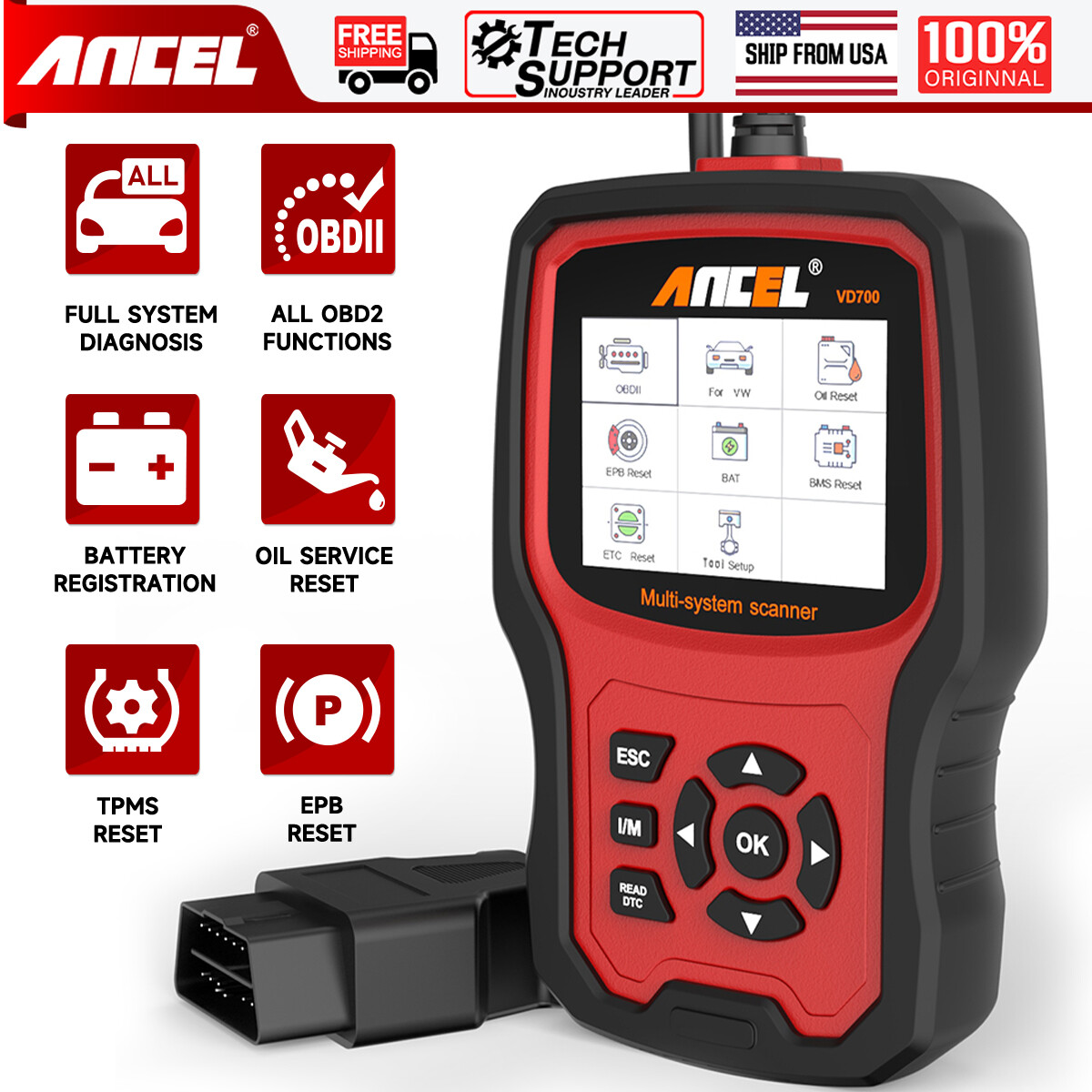
Check the listing for details. ANCEL VD700 OBD2 Scanner Full System Diagnostic Tool Code Reader For VAG VW Audi. Condition: New. Listed at 79.99 USD. ANCEL VD700 All System OBD2 Scanner DPF SRS TPMS Oil Reset Auto Diagnostic ToolANCEL VD700 is an upgraded version of the ANCEL VD500 OBD II scanner. It specializes in diagnosing Volkswagen Group vehicles (VW / AUDI / SKODA / SEAT), it can do all systems diagnose (such as ABS, Transmission, SAS, SRS, ESP, TPMS and other systems) and special functions (such as throttle position adaption, brake pad reset, TPMS reset, steering angle learning, oil service reset, injector learning, Battery Registration and DPF reset, etc) for VAG vehicles, but it only can diagnose engine system and OBD 6 modes for 16 pin Non-VAG vehicles sold in the US after 1996. It comes with an advanced STM CPU, a 2 color UI theme 2.8-inch screen, 11 display languages and a special feedback function. It can diagnose your vehicle in merely seconds due to its automatic vehicle model identification function. We also provide lifetime free updates to make sure it always has the latest fault code database. TOP REASONS TO CHOSE ANCEL VD700 OBD21. Car OBD2/EOBD full system diagnostic scanner for 12V 16pin VW, Audi, Skoda,Seat,Bugatti,Lamborghini,Bentley cars 2. Check All system working condition, read, clear error codes, turn off MIL light;Support car Oil service reset, EPB brake pad reset, throttle position check Battery reset etc. 3. Plug and play,fast scanning 4. lifetime free upgrade online 5. Muti-language available: English,French,Spanish,German,Russian,Swedish,Portuguese,Finnish,Norwegian,Danish 6. Three years warranty ANCEL VD700 Supports 8+ Most Commonly Used Maintenance Functions Electrical Park Brake (EPB) Reset: EPB(Electrical Parking Brake) is a technology that realizes parking brake by electronic control. VD700 is an essential tool required to release rear electric parking brake unit when replacing the rear pads or discs so that the caliper piston can be moved back. It can also clear codes and turn off the EPB light when it’s done.( Note: For more EPB steps, please refer to product guides and documents.) TPMS Reset: You can use VD700 to clear the codes and turn off the TPMS warning light after you replaces the tire. ( Note: Some TP20 protocol vehicles don’t support this function, please use the vehicle’s reset button to reset the TPMS warning light.) Throttle position Adaption: If these problems occur: the engine may be stalling or misfiring, poor engine performance, lack of power, transmission (gear) may not be shifting correctly, it means that you need to get the throttle position sensor (TPS) inspected. After that, the trouble codes will need to be cleared. VD700 can clear codes and reset the TPS. ( Note: All protocols are supported, but the KWP1281, KWP2000, and TP16 protocols require manual operation.) Oil Service Reset: When you want to reset your oil service after you change the oil or simply want to reset your vehicle inspection warning light(please make sure your vehicle is in good condition), this is the device you need. Steering Angle Sensor Calibration: You can use VD700 to read the fault codes, perform the sensor calibration if needed, and clear the codes when you done. ( Note: 1. Set the steering wheel to the center point and align the front wheels straight ahead before you do the SAS reset. 2. If the SAS MIL light illuminates on the dashboard after you reset the SAS and the codes can't be cleared, then you need to turn the ignition on, pulling the wheel as followed: its the left end, its the right to end and then back to the center point. ) Injector Learning: Once you have replaced the car injector, you will need to write a new injector code to inform the ECU how much compensation is required to achieve the optimum in lowering emissions and provide smooth running. VD700 can help you complete this process. Battery Registration: Re-match the control module and motoring sensor, clear original low battery information. After replacing the battery, you need to register, please select the corresponding battery capacity, brand and serial number. DPF Regeneration: The most common reasons for DPF failures are: Short journeys where the engine doesn't reach optimum operating temperature. Clogged EGR Valve increasing diesel soot passed to the DPF. Faulty fuel injectors send too much fuel to the air/fuel mixture. VD700 will perform a forced regeneration, turn off the DPF light and reset ECU after the filter has been replaced, and reset the additive light after topping up. ANCEL VD700 OBD2 FunctionsFull OBD2 FunctionsANCEL VD700 Reset Functions:(1) Oil Service Reset (2) TPA Throttle Position Adaption (3) EPB Brake Pad Reset (4) SAS Steering Angle reset (5) TPMS reset (6) DPF reset (7) Battery matching (8) Injector coding ANCEL VD700 Supported LanguageEnglish, French, Spanish, German, Russian, Swedish, Portuguese, Finnish, Norwegian, Danish ANCEL VD700 OBD2 SUPPORTS CARS INCLUDE: FAQ 1. What’s the difference between VD500 and VD700? - In addition to hardware upgrades, the VD700 can do more high-level reset functions than the VD500(e.g.: TPMS Reset, Steering Angle Sensor Calibration, Battery Registration, Injector Learning, DPF Regeneration, etc). Meanwhile, it also has OBD 6 modes for OBDII vehicles(VD500 can only read and clear codes, read vehicle information for OBDII vehicles). 2. The description says that it can support all VAG vehicles. Why can't my car do all the functions mentioned? - VD700 does support the OBD 6 modes of all VAG vehicles(Volkswagen, Audi, Skoda, Seat, Bentley, Lamborghini, Bugatti, etc) as well as full system diagnostics (depending on the actual number of systems in the vehicle). But the reset function is related to the protocol used by the vehicle. 3. I have a VW vehicle and a Non VW vehicle, can I purchase this for both of them? - Yes, you can. VD700 can diagnose engine system, battery test, and OBD 6 modes for 16 pin Non VW vehicle sold in the US after 1996. Meanwhile, it can do more systems and special functions on your VW vehicle. 4. How to get it to start? - It does not need any battery or charger, just plug into the OBD II port on your car and turn the ignition on and get the power directly from the OBDII data link connector in your vehicle. Battery Registration Disregarding the need to register and code for a new battery may result in improper charging. VD700 code reader can help you register a new battery once you replace it. Just click for VW - special function - battery registration. Note: 1. You will need to enter the battery capacity, brand and serial number during this process. 2. Not all vehicles need to do the battery reset after changing batteries.Live Data Stream VD700 OBDII Scan Tool is an advanced diagnostic tool that communicates with the vehicle's computer. The vehicle scanner lets you view "real-time" Live Date. This information includes the value (volts, rpm, temperature, speed ect,) and system status information(open loop, closed loop, fuel system status, ect.) generated by the various vehicle sensor, switches and actuators.Auto VIN Information Technology quickly and directly obtains the vehicle’s information - no need to input manually. VD700 vehicle scanner is an easy-to-use obdii scanner aiming at helping you solve automotive issues quickly and accurately. Support the automatic scanning of the whole vehicle system, the fault system will be highlighted in red and the number of faults will be displayed. Upgrade Steps: 1. Please connect the VD700 with the computer via USB cable before upgrading. 2. Download the software from the ANCEL website and unzip it. 3. After the file is unzipped: For Windows 8/10: Click directly to update. For Windows 7: Click "install driver.bat" in the driver file to install the driver, then click to update. Note: The update software only supports Windows 7/8/10. It doesn't support Mac laptops.
You may also like